About
DOOM II: Hell on Earth is the sequel to id Software's genre-defining 1993 shooter, built on the same DOOM engine and released for MS-DOS in 1994. It expanded the original with larger, more open levels set on a demon-overrun Earth, new enemies, and the iconic double-barreled Super Shotgun. Widely praised and hugely influential on the first-person shooter genre, this classic MS-DOS edition (Steam appid 2300) was delisted in 2024 when the DOOM + DOOM II remaster replaced it on the store.
Screenshots
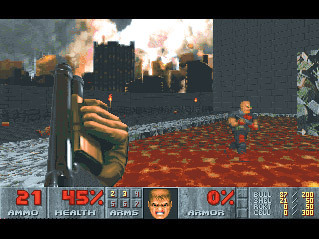

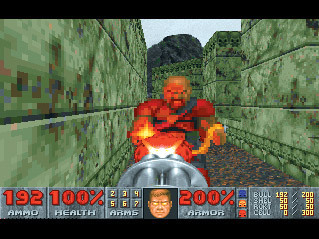
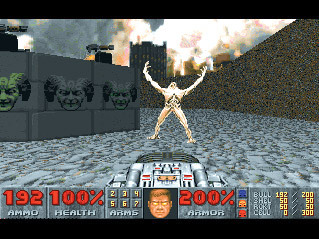
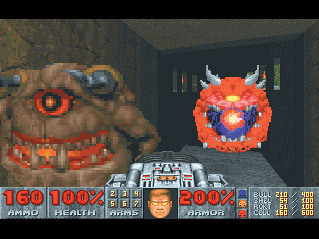
Official store screenshots from Steam — deckport links them, never rehosts. Hover to pause; click to preview.
Identity
Launch
- Binary
- base/DOOM2.EXE
- Needs files
- none beyond the binary
Proton
- Version
- GE-Proton
- Winetricks
- —
- ProtonDB
- ProtonDB Gold runs perfectly after tweaks
⚙ Setup notes
DRM: Classic MS-DOS DOOM II (delisted Steam appid 2300; removed in 2024 when the DOOM + DOOM II remaster, appid 2280, replaced it). On Steam this shipped wrapped in DOSBox, so the raw DOOM2.EXE is a DOS binary, not a Win32 one.
Proton: Two good Deck paths: (1) point the prefix at the bundled DOSBox launcher and run under GE-Proton, or (2) recommended on Deck — install the Boxtron compat tool (dosbox-staging) from the Steam Tinker / community-tools route and set it as the game's compatibility tool; this gives clean scaling and native controller mapping.
Layout: The Steam install root holds doom2.bat / doom2 + mouse.bat launchers and a base/ subfolder; base/ contains the bundled DOSBox.exe, DOOM2.EXE, the .conf, and doom2.wad.
Controller: Either way, for a modern feel you can copy doom2.wad out of base/ and feed it to a source port (GZDoom or Chocolate Doom), which adds proper gamepad support and vibration.
Install: deckport only configures the prefix; it never bundles or links the game files.
The one thing to know
Supply your own copy. deckport links nothing.
DRM: Delisted classic DOOM II (appid 2300), replaced on Steam by the DOOM + DOOM II remaster (appid 2280).
Display: Steam's overall Deck rating shows 'Unsupported' only because the bundled DOS versions lack controller support out of the box; community reports confirm it plays well once configured.
Online: Single-player only — no online dependency, so nothing to worry about server-side.
Controller: Default DOSBox wrapper has weak gamepad input: on Deck, run via Boxtron (dosbox-staging) as the compat tool, or drop a GZDoom / Chocolate Doom source port into the install for real controller support, vibration, and widescreen. A Steam Input gamepad layout also works as a fallback.
Community guides
Write-ups and threads from people who got this (or a similar) game running. deckport links to them — it doesn't reproduce them.
Get the artwork
deckport never hosts game images. Open this game on SteamGridDB, pick
the cover / hero / logo / icon you like, and drop them into the
game folder under .deckport-art/ before you push it to the
Deck. The importer files them under the right names automatically.
Run it on your Deck
Two files: the one-time importer (deckport.py) in your
Deck's home folder, and this game's install helper. Copy the game
into ~/Games and run the helper with Steam closed — it
writes the recipe (binary, launch options, Proton version)
and registers the shortcut with artwork.