About
Heretic is a dark-fantasy first-person shooter built on a modified version of id Software's Doom engine. It was an early FPS to add an inventory system and the ability to look up and down, along with features like flight and translucency. 'Shadow of the Serpent Riders' is the 1996 expanded edition that bundled the original three episodes with two additional ones. Well received as a cult classic, the DOS original was delisted from Steam after Nightdive Studios released a modern 'Heretic + Hexen' remaster.
Screenshots
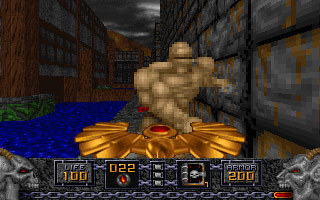
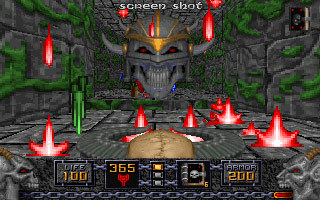
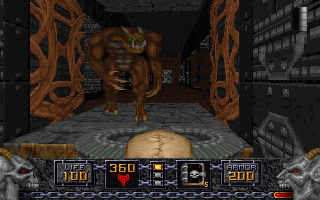
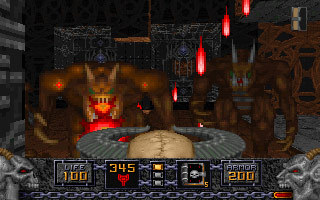
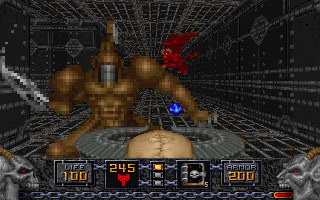
Official store screenshots from Steam — deckport links them, never rehosts. Hover to pause; click to preview.
Identity
Launch
- Binary
- heretic.bat
- Needs files
- none beyond the binary
Proton
- Version
- GE-Proton
- Winetricks
- —
- ProtonDB
- ProtonDB Platinum runs flawlessly
⚙ Setup notes
DRM: Delisted Steam game (appid 2390), removed when Nightdive's 'Heretic + Hexen' re-release shipped — original is no longer for sale. No DRM or GFWL to deal with.
Install: This is the DOS game wrapped in DOSBox: the Steam launcher is heretic.bat, which calls base\DOSBOX.EXE with base\heretic.conf and boots HERETIC.EXE (Raven never made a native Windows build).
Proton: DOS-in-DOSBox runs cleanly under Proton; ProtonDB is platinum on appid 2390, so GE-Proton (or proton_experimental) just works. (Steam's official Deck Verified badge belongs to Nightdive's separate Heretic + Hexen remaster, not this original DOS release.)
Controller: Two control paths on Deck. (1) Play it as-is in DOSBox and apply a Steam Input gamepad layout — DOSBox has no native controller, so a community/keyboard-mouse layout is the working hack. (2) Drop a modern source port into the install: extract a Heretic-capable port (e.g. GZDoom or Crispy Heretic) into the game folder, rename DOSBOX to dosboxold and the port exe to dosbox so the .bat launches it, which gives native controller support, mouselook and OpenGL/Vulkan rendering.
Install: deckport only configures the prefix; it never bundles or links the game files.
The one thing to know
Supply your own copy: deckport links nothing.
DRM: Delisted Steam release (appid 2390) replaced by Nightdive's 'Heretic + Hexen' — original no longer for sale. This is a single-player DOS game run through bundled DOSBox, no DRM or GFWL.
Proton: ProtonDB platinum on appid 2390. (The Steam Deck Verified badge is for Nightdive's Heretic + Hexen remaster, not this DOS release.)
Controller: DOSBox itself has no gamepad support, so either apply a Steam Input keyboard/mouse layout (the working hack) or swap in a source port (GZDoom / Crispy Heretic) for native controller + mouselook.
Install: Binary set to heretic.bat (the DOSBox launcher); confirm against your install path.
Community guides
Write-ups and threads from people who got this (or a similar) game running. deckport links to them — it doesn't reproduce them.
Get the artwork
deckport never hosts game images. Open this game on SteamGridDB, pick
the cover / hero / logo / icon you like, and drop them into the
game folder under .deckport-art/ before you push it to the
Deck. The importer files them under the right names automatically.
Run it on your Deck
Two files: the one-time importer (deckport.py) in your
Deck's home folder, and this game's install helper. Copy the game
into ~/Games and run the helper with Steam closed — it
writes the recipe (binary, launch options, Proton version)
and registers the shortcut with artwork.