About
Hexen: Beyond Heretic is a 1995 dark-fantasy first-person shooter by Raven Software, the sequel to Heretic and the second entry in the Serpent Riders trilogy. Built on a heavily modified id Tech 1 (Doom) engine, it introduced three selectable character classes (Fighter, Cleric, Mage) and a non-linear hub level structure with switches and puzzles that affect connected maps. It was well received at launch and remains a cult classic of the genre. The standalone Steam release was delisted in 2025 when an enhanced Heretic + Hexen package shipped, with prior owners granted that release for free.
Screenshots
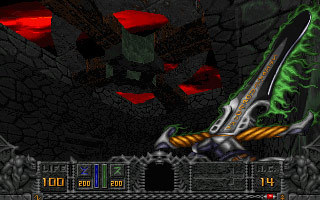
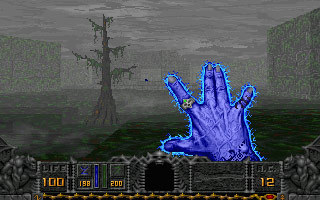
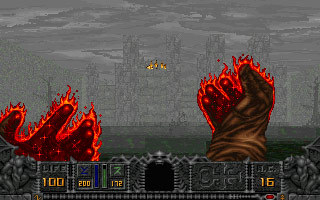
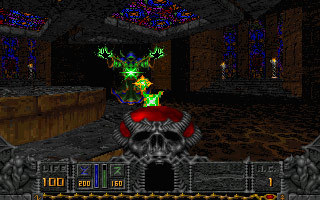
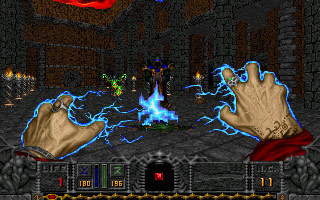
Official store screenshots from Steam — deckport links them, never rehosts. Hover to pause; click to preview.
Identity
Launch
- Binary
- DOSBOX.exe
- Needs files
- none beyond the binary
Proton
- Version
- GE-Proton
- Winetricks
- —
- ProtonDB
- ProtonDB Platinum runs flawlessly
⚙ Setup notes
Delisted: Steam game (appid 2360, removed 2025-08-07).
DRM: This is the original 1995 DOS release, so the Steam copy boots through a bundled DOSBox (launcher DOSBOX.exe) rather than a native Windows exe. DOSBox-wrapped id-Tech-1 games run cleanly under Proton on the Deck (GE-Proton or proton_experimental both work). No DRM, no GFWL.
Best experience: Drop a GZDoom source port into the install's base subfolder (where HEXEN.WAD lives) and point it at HEXEN.WAD — GZDoom runs at native resolution with mouselook and built-in gamepad support, and a community GZDoom-on-Deck launcher (flatpak) exists. A common community trick keeps Steam's playtime/launch working: rename the stock DOSBOX.exe and drop gzdoom.exe in as DOSBOX.exe.
Controller: If you keep the stock DOSBox build, set a Steam Input keyboard/mouse layout for full controller play.
Install: deckport only configures the prefix; it never bundles or links the game files.
The one thing to know
Supply your own copy. deckport links nothing.
Delisted 2025-08-07: the standalone original was pulled when the combined Heretic + Hexen remaster shipped (existing owners were given that remaster free), so the old appid 2360 build is no longer for sale on its own.
Single-player only: no online servers to worry about.
Recommended setup: Original release runs in DOSBox; at the stock res/controls it is dated, so the recommended setup is the GZDoom source port (native res, mouselook, native gamepad).
Controller: GZDoom has built-in pad support; the vanilla DOSBox build needs a Steam Input keyboard/mouse layout.
Status: Not yet confirmed on real hardware — bump to verified after a Deck run.
Community guides
Write-ups and threads from people who got this (or a similar) game running. deckport links to them — it doesn't reproduce them.
Get the artwork
deckport never hosts game images. Open this game on SteamGridDB, pick
the cover / hero / logo / icon you like, and drop them into the
game folder under .deckport-art/ before you push it to the
Deck. The importer files them under the right names automatically.
Run it on your Deck
Two files: the one-time importer (deckport.py) in your
Deck's home folder, and this game's install helper. Copy the game
into ~/Games and run the helper with Steam closed — it
writes the recipe (binary, launch options, Proton version)
and registers the shortcut with artwork.