About
The Reckoning is the first official expansion pack for id Software's 1998 shooter Quake II, developed by Xatrix Entertainment. It adds an 18-level single-player campaign plus new deathmatch maps, three new weapons (the Ion Ripper, Phalanx Particle Cannon, and Trap), new enemies, and a new power-up, all running on the original Quake II engine. It is notable as a well-regarded entry in the classic Quake II era. The standalone Steam DLC was delisted in 2022 after its content was folded into the base Quake II package, and it ships built into the 2023 Quake II Remaster (Enhanced edition).
Screenshots
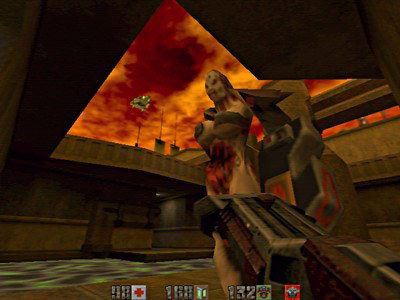
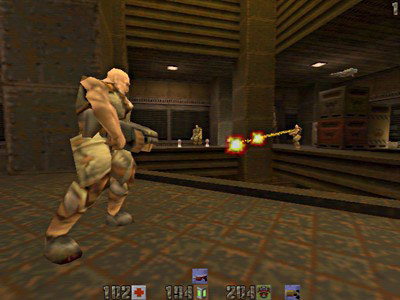
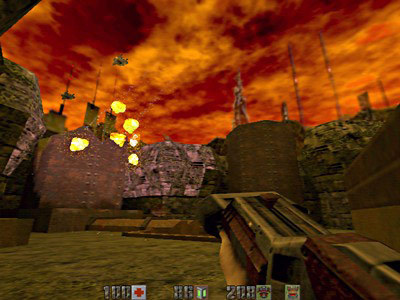
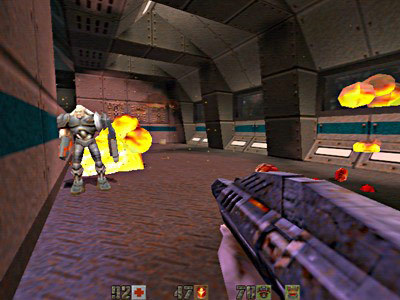
Official store screenshots from Steam — deckport links them, never rehosts. Hover to pause; click to preview.
Identity
Launch
- Binary
- quake2.exe
- Options
- +set game xatrix
- Needs files
-
- xatrix/pak0.pak
Proton
- Version
- GE-Proton
- Winetricks
- —
- ProtonDB
- ProtonDB Gold runs perfectly after tweaks
⚙ Setup notes
Delisted: Delisted Steam item (appid 2330, originally sold as a Quake II DLC). It was pulled from sale on 2022-08-10 when Bethesda consolidated the content into the base Quake II package (appid 2320); the 2023 Quake II remaster (Enhanced edition) then shipped both mission packs built in. This is the classic 1998 Xatrix mission pack 'The Reckoning'.
Easier route exists: If you own Quake II (2320) today, you have the Enhanced/Remaster edition (rerelease/quake2ex_steam.exe), which includes The Reckoning selectable from the in-game Expansions menu and is Steam Deck Verified with native controller support — that is the simplest way to play it. This recipe instead targets the classic Quake II engine, whose quake2.exe is still shipped on disk in the same Steam install.
Install: As a classic engine mod it is not a standalone game — it runs on top of retail Quake II: launch quake2.exe with +set game xatrix so the engine loads the xatrix/ game directory alongside baseq2/.
Proton: The original retail Win32 build runs cleanly under Proton (GE-Proton or proton_experimental both fine); the classic Quake II engine is light and Vulkan-friendly on the Deck's AMD GPU.
DRM: No GFWL/SecuROM/online DRM on the retail pack.
Native option: For a smoother native option, the Yamagi Quake II source port (yquake2/xatrix) also loads xatrix with the same +set game xatrix and runs natively on Linux/Deck, but that is out of scope here.
Install: deckport only configures the prefix; it never bundles or links the game files.
The one thing to know
Supply your own copy: Needs a retail Quake II install: drop the mission-pack PAK files into an xatrix/ folder next to baseq2/, then launch quake2.exe with +set game xatrix. deckport links nothing.
Delisted: Classic 1998 Quake II mission pack, delisted as a standalone Steam DLC after its content was rolled into the 2023 Quake II Remaster.
Offline: Single-player campaign (18 maps) plays fully offline, so dead multiplayer servers are not a concern.
Controller: The classic engine has no native gamepad support, but a Steam Input keyboard/mouse layout works well on the Deck (community templates exist for Quake II) — bind movement to the left stick, look to the right stick/trackpad, fire/jump to triggers/buttons.
ProtonDB: Appid 2330 is a (delisted) DLC and has no ProtonDB reports of its own; the parent Quake II appid 2320 reports Platinum. The classic engine targeted here is trivially Proton-compatible, but gold is kept as a conservative estimate for this specific quake2.exe + game xatrix route until it gets an on-Deck confirmation. (The bundled Enhanced edition is Steam Deck Verified.)
Community guides
Write-ups and threads from people who got this (or a similar) game running. deckport links to them — it doesn't reproduce them.
Get the artwork
deckport never hosts game images. Open this game on SteamGridDB, pick
the cover / hero / logo / icon you like, and drop them into the
game folder under .deckport-art/ before you push it to the
Deck. The importer files them under the right names automatically.
Run it on your Deck
Two files: the one-time importer (deckport.py) in your
Deck's home folder, and this game's install helper. Copy the game
into ~/Games and run the helper with Steam closed — it
writes the recipe (binary, launch options, Proton version)
and registers the shortcut with artwork.