About
Dissolution of Eternity is the second official mission pack for id Software's 1997 shooter Quake, developed by Rogue Entertainment and published by Activision. It runs on the original Quake engine and adds fifteen new single-player levels across two episodes, a new multiplayer map, fresh enemies and bosses, new weapons, and an original soundtrack. The expansion was sold standalone on Steam (appid 9030) until it was delisted in August 2021, after which its content was folded into the modern Quake remaster and the separate product was retired.
Screenshots
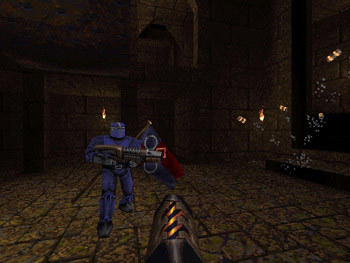
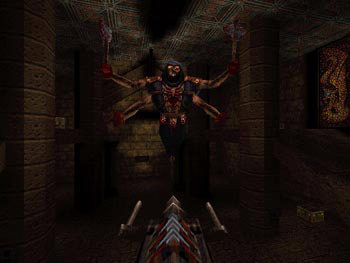
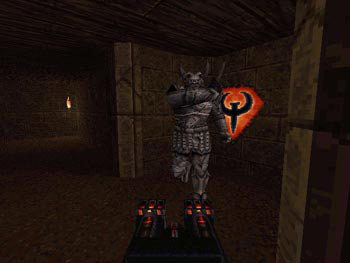
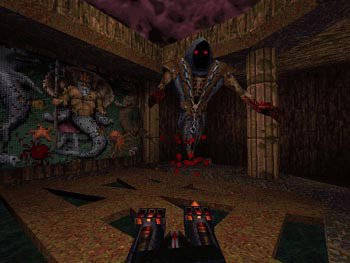
Official store screenshots from Steam — deckport links them, never rehosts. Hover to pause; click to preview.
Identity
Launch
- Binary
- winquake.exe
- Options
- -rogue
- Needs files
- none beyond the binary
Proton
- Version
- GE-Proton
- Winetricks
- —
- ProtonDB
- ProtonDB Platinum runs flawlessly
⚙ Setup notes
DRM: Delisted standalone Steam game (appid 9030), pulled Aug 2021; the expansion content later folded into the modern Quake remaster but this product is no longer sold on its own.
Launch: Runs on the original 1997 Quake engine: launch the stock winquake.exe (software renderer) with the -rogue flag (Dissolution of Eternity = the 'rogue' mission pack).
Proton: GE-Proton runs the legacy software-rendered winquake.exe most reliably; the bundled glquake.exe (GLQuake) also works under Proton but can hit old OpenGL paths on some setups, so it is the secondary option rather than the default.
Recommended: On Deck for a smooth modern experience, drop a current source port (Quakespasm / vkQuake) into the install and point launch options at it with -rogue, which gives proper widescreen, high-res and stable framepacing.
Install: deckport only configures the prefix; it never bundles or links the game files.
The one thing to know
Supply your own copy: deckport links nothing; supply your own copy. Verify which .exe names exist in your own install.
Launch flag: The -rogue launch flag is REQUIRED — it selects the Dissolution of Eternity (rogue) mission pack; without it you boot vanilla Quake.
Controller: The original engine has no native gamepad support, so apply a Steam Input keyboard/mouse layout (a community 'Quake' template works well) for controller play; a modern source port like Quakespasm/vkQuake additionally exposes native joystick support.
Renderer: The software renderer winquake.exe is the most reliable default under Proton; glquake.exe (GLQuake) is available as an alternative but can misbehave on old OpenGL paths.
Performance: Original Quake-engine title, very lightweight on Deck; ProtonDB rates appid 9030 platinum, though on a small/low-confidence report sample.
Multiplayer: Single-player expansion — no online-server concern.
Community guides
Write-ups and threads from people who got this (or a similar) game running. deckport links to them — it doesn't reproduce them.
Get the artwork
deckport never hosts game images. Open this game on SteamGridDB, pick
the cover / hero / logo / icon you like, and drop them into the
game folder under .deckport-art/ before you push it to the
Deck. The importer files them under the right names automatically.
Run it on your Deck
Two files: the one-time importer (deckport.py) in your
Deck's home folder, and this game's install helper. Copy the game
into ~/Games and run the helper with Steam closed — it
writes the recipe (binary, launch options, Proton version)
and registers the shortcut with artwork.