About
Rocket Mania! Deluxe is a 2003 tile-rotation puzzle game developed by Belgian studio Nuclide Games and published by PopCap Games. Players rotate fuse tiles on a grid to build an unbroken path connecting lit matches on the left edge to fireworks rockets on the right, launching them for points, with branching tiles enabling multiple simultaneous launches plus bombs, gems, and other pickups.
A representative casual PopCap title of its era, it was praised for being easy to pick up and addictive (GameZone Editor's Choice) and earned a Computer Gaming World 2003 Puzzle Game of the Year nomination. It was delisted from Steam (appid 3440) on 2019-12-12 and is no longer sold there.
Screenshots
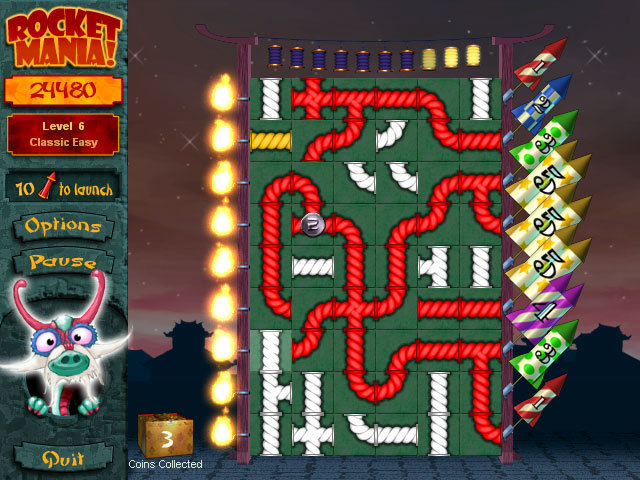

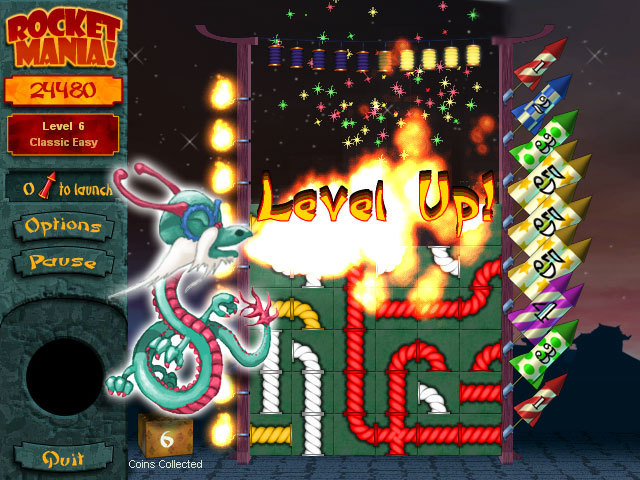
Official store screenshots from Steam — deckport links them, never rehosts. Hover to pause; click to preview.
Identity
Launch
- Binary
- RocketMania.exe
- Needs files
- none beyond the binary
Proton
- Version
- GE-Proton
- Winetricks
- —
- ProtonDB
- ProtonDB Platinum runs flawlessly
⚙ Setup notes
Game: A lightweight 2003 PopCap tile-rotation puzzle game (RocketMania.exe, ~47 MB) — trivially light for the Deck's APU and a strong Proton case; PopCap 2D titles are routinely platinum.
DRM: Delisted Steam game (appid 3440, removed 2019-12-12; still launchable from existing libraries).
Proton: GE-Proton is the safe default; stock Proton 8/9 or proton_experimental also work.
Controller: No native gamepad. Gameplay is pure point-and-click (rotate fuse tiles to connect matches to rockets), so use a Steam Input layout with the right trackpad as Mouse plus a click bind (or gyro-as-mouse) — fully playable handheld with that layout.
Install: deckport only configures the prefix; it never bundles or links the game files.
The one thing to know
Supply your own copy. deckport links nothing.
DRM: Delisted from Steam 2019-12-12 (appid 3440); not for sale, playable only from libraries that already own it.
Binary: Real binary is RocketMania.exe.
Proton: Tiny 2003 PopCap puzzle game, so Proton compatibility is essentially a non-issue. ProtonDB lists it platinum, though on a small sample (~5 reports, low confidence) — expected for such a lightweight 2D title.
Controller: No native controller support — set up a Steam Input mouse/trackpad (or gyro-as-mouse) layout, since the whole game is point-and-click; it is fully playable that way.
Needs-test: This exact recipe hasn't been confirmed on a Deck.
Community guides
Write-ups and threads from people who got this (or a similar) game running. deckport links to them — it doesn't reproduce them.
Get the artwork
deckport never hosts game images. Open this game on SteamGridDB, pick
the cover / hero / logo / icon you like, and drop them into the
game folder under .deckport-art/ before you push it to the
Deck. The importer files them under the right names automatically.
Run it on your Deck
Two files: the one-time importer (deckport.py) in your
Deck's home folder, and this game's install helper. Copy the game
into ~/Games and run the helper with Steam closed — it
writes the recipe (binary, launch options, Proton version)
and registers the shortcut with artwork.